
With more than 100 million active users each month, it’s not shocking that Snapchat is quickly becoming one of the largest and most frequently used social networks. If you’re not thinking about signing up for Snapchat yet, especially if your targeted audience is millennials, now is the time.
If you have a Snapchat account for personal use, you’ll have to log out of your personal account to get started. If you have don’t have a personal or business Snapchat account yet, you can skip to step 4.
Step 1.

Once you open the app, click the ghost in the top center of your screen. (Fun fact: His name is Ghostface Chillah, seriously).
Step 2.
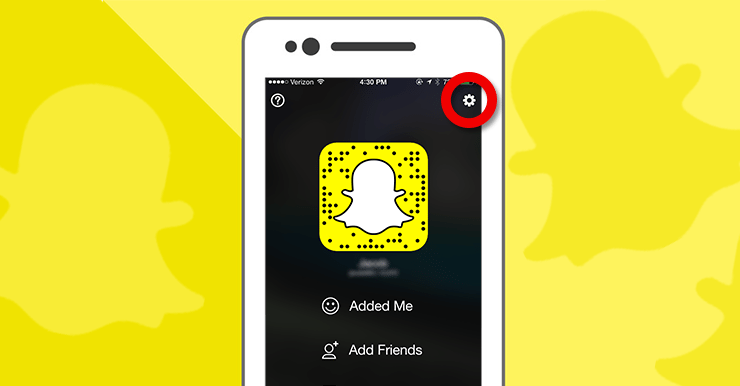
Click the gear icon in the top right corner of your profile page.
Step 3.
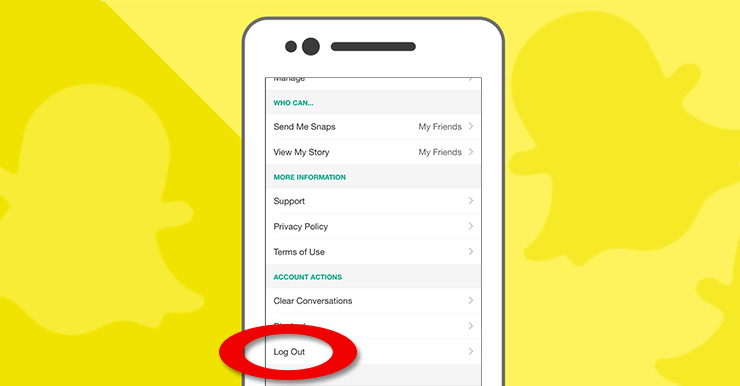
Scroll down the Settings page and you’ll see the option to log out under “Account Actions”. This will bring you back to the main page, which you see when you first download Snapchat. Don’t worry, you can sign back into your personal account in the future.
Step 4.
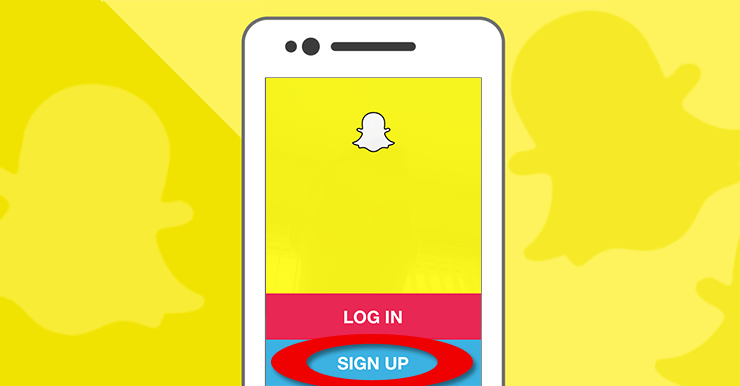
Once you have the app open (click here to download), click the blue sign up button.
Step 5.

Fill in your email address, pick a secure password, and select your birthday.
Step 6.
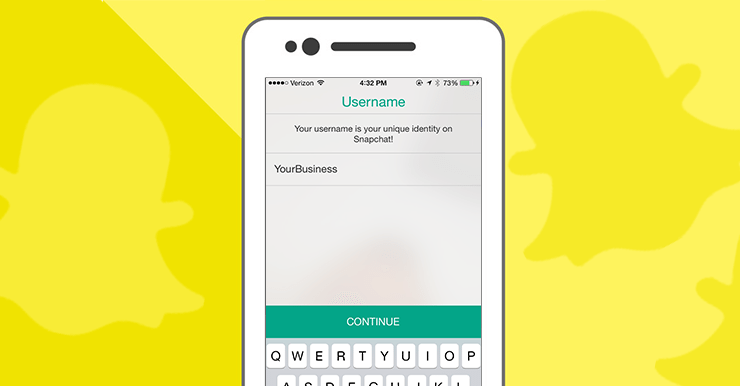
Now it’s time to pick a username. Please note that your username will be public, so only pick a name that you want to publicly represent your business.
Step 7.
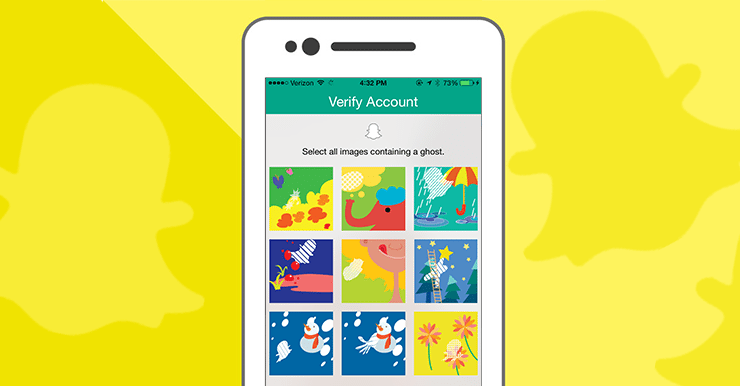
You’re so close! To avoid spam/fake accounts, Snapchat will need you to prove that you’re a human. Solve the puzzle on the screen. Once you do this, your account has been created.
That’s it! You now have a Snapchat account for your business. A message on Snapchat, which can be a picture, video, or text message is called a “Snap”. Your first “Snap” will be from the Snapchat team, which will teach you how to navigate around the app.
Now it’s time to promote your Snapchat chat with your community. To get started, you may want to consider posting your username on your business Facebook page, or printing a sign for the front desk of your workplace. How you choose to continue from there is up to you. Congratulations on your new Snapchat account!